
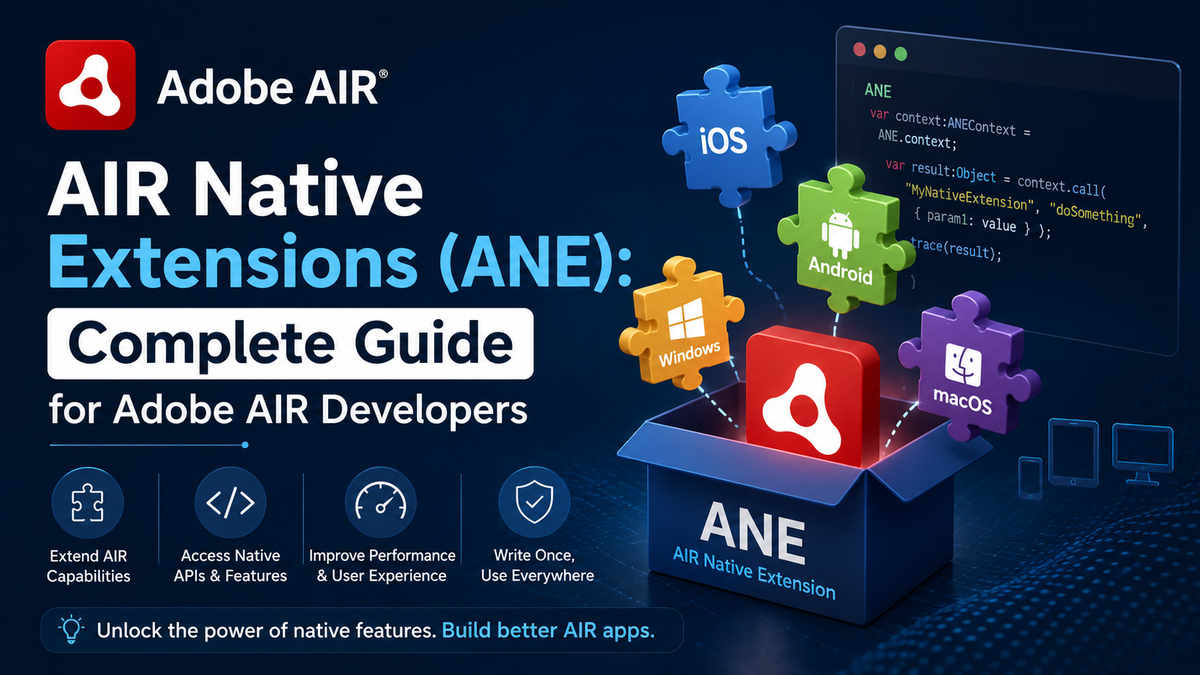
AIR Native Extensions (ANE): Complete Guide for Adobe AIR Developers
AIR Native Extensions, commonly known as ANEs, are one of the most powerful features of Adobe AIR development. They allow developers to access platform-specific functionalities that are not available through standard Adobe AIR APIs. By using ANEs, developers can integrate native device capabilities such as cameras, biometric authentication, GPS services, push notifications, payment gateways, and advanced hardware features into their applications.
As mobile and desktop applications become increasingly sophisticated, users expect seamless experiences and direct access to native device functions. Standard Adobe AIR applications sometimes face limitations when interacting with operating system features. AIR Native Extensions solve this challenge by creating a bridge between ActionScript code and native platform APIs.
This comprehensive guide explains everything you need to know about AIR Native Extensions, their architecture, benefits, implementation process, use cases, best practices, and future opportunities.
What Are AIR Native Extensions?
AIR Native Extensions are packages that enable Adobe AIR applications to communicate directly with native code written specifically for operating systems such as Android, iOS, Windows, and macOS.
An ANE acts as an intermediary layer between:
- Adobe AIR application code
- Platform-specific operating system APIs
- Device hardware functionalities
In simple terms, an AIR Native Extension allows developers to use features that Adobe AIR does not support natively.
For example, an application developed in Adobe AIR may need access to:
- Face ID authentication
- Fingerprint sensors
- In-app purchases
- Bluetooth communication
- Advanced camera features
- Native advertising frameworks
- Machine learning libraries
- Background services
Without ANEs, accessing these features would be difficult or impossible.
Understanding Adobe AIR
Before diving deeper into ANEs, it is important to understand Adobe AIR itself.
Adobe AIR is a cross-platform runtime environment that enables developers to build applications using:
- ActionScript
- JavaScript
- HTML
- CSS
- Flex framework
Adobe AIR applications can run across multiple operating systems, including:
- Android
- iOS
- Windows
- macOS
The primary advantage of Adobe AIR is code reusability. Developers can write one codebase and deploy it on multiple platforms.
However, operating systems continuously introduce new APIs and hardware capabilities. Adobe AIR’s standard API set cannot always keep pace with these rapid changes. This is where AIR Native Extensions become essential.
Why Are AIR Native Extensions Important?
Modern applications require direct integration with device features. Users expect applications to behave similarly to fully native apps.
AIR Native Extensions offer several important advantages.
Access to Native APIs
ANEs provide access to APIs that Adobe AIR does not include by default.
Examples include:
- Health sensors
- NFC communication
- Advanced notifications
- Device security services
- Biometric authentication
Better Performance
Native code executes directly on the operating system, resulting in improved performance for resource-intensive operations.
Examples include:
- Image processing
- Video encoding
- Augmented reality
- Machine learning functions
Improved User Experience
Applications become more responsive and feature-rich by integrating native functionalities.
Users benefit from:
- Faster loading times
- Better hardware integration
- Native interface behavior
- Enhanced security
Increased Flexibility
Developers are not restricted by Adobe AIR’s built-in capabilities. ANEs make it possible to create enterprise-level applications that closely resemble fully native apps.
How AIR Native Extensions Work
AIR Native Extensions establish communication between ActionScript and native platform code.
The architecture generally consists of several layers.
ActionScript Layer
This layer contains the application’s primary logic.
Responsibilities include:
- User interface
- Event handling
- Business logic
- API requests
Extension Context
The Extension Context acts as a communication bridge.
Its responsibilities include:
- Sending requests
- Passing data
- Receiving responses
- Triggering callbacks
Native Extension Layer
This layer contains platform-specific implementations.
Examples include:
- Java or Kotlin for Android
- Objective-C or Swift for iOS
- C++ for desktop platforms
Operating System APIs
The native code communicates directly with device services.
Examples include:
- Camera APIs
- GPS APIs
- Push notification services
- Payment systems
- Security frameworks
The communication flow generally follows this pattern:
ActionScript → Extension Context → Native Code → Operating System API → Response → ActionScript
This architecture makes Adobe AIR applications significantly more powerful.
Components of an AIR Native Extension
An AIR Native Extension contains several components working together.
ActionScript Library
This component defines:
- Public APIs
- Classes
- Events
- Methods
It provides the interface developers use inside their applications.
Native Library
The native library contains platform-specific code.
Examples include:
- Java files
- Kotlin files
- Objective-C files
- Swift files
- Dynamic libraries
Extension Descriptor File
The descriptor file contains metadata regarding:
- Extension identifier
- Supported platforms
- Native libraries
- Configuration settings
ANE Package
The ANE file itself packages all components into a single distributable file.
Developers simply import the ANE into their projects and begin using its functionality.
Key Features of AIR Native Extensions
AIR Native Extensions provide numerous powerful capabilities.
Native UI Components
Developers can embed:
- Native text fields
- Web views
- Date pickers
- Video players
- Maps
Device Sensors
ANEs provide access to:
- Accelerometer
- Gyroscope
- Magnetometer
- Proximity sensors
- Ambient light sensors
Hardware Communication
Applications can communicate with:
- Bluetooth devices
- NFC chips
- External accessories
- USB devices
- Printers
Background Services
Applications can execute:
- Scheduled tasks
- Push notifications
- Location tracking
- Background synchronization
Security Features
Extensions support:
- Face ID
- Touch ID
- Encrypted storage
- Secure authentication
- Device verification
Benefits of Using AIR Native Extensions
Cross-Platform Development
Developers maintain a single application codebase while accessing platform-specific features.
Benefits include:
- Reduced development costs
- Faster deployment
- Easier maintenance
- Better consistency
Rapid Development
Instead of building separate native applications, developers can extend Adobe AIR applications with ANEs.
This approach:
- Saves time
- Reduces coding effort
- Accelerates releases
- Improves productivity
Reusable Components
ANEs can be reused across multiple projects.
Examples include:
- Payment modules
- Authentication systems
- Notification services
- Analytics integrations
Enterprise Integration
Many organizations rely on Adobe AIR applications for:
- Inventory systems
- Retail applications
- Business dashboards
- Internal management software
AIR Native Extensions enable these applications to integrate seamlessly with enterprise hardware and services.
Common Use Cases of AIR Native Extensions
Push Notifications
Push notifications are among the most widely used ANEs.
Capabilities include:
- Local notifications
- Remote notifications
- Background messages
- Interactive alerts
Applications such as:
- News apps
- Shopping apps
- Social media apps
heavily rely on notification extensions.
Biometric Authentication
Modern users demand secure authentication methods.
ANEs support:
- Fingerprint login
- Face recognition
- Device passcode authentication
This functionality improves both security and user experience.
In-App Purchases
Many applications generate revenue through digital purchases.
AIR Native Extensions support:
- Subscription management
- One-time purchases
- Payment restoration
- Transaction verification
Camera Integration
Standard camera functionality may be limited in Adobe AIR.
ANEs provide:
- Manual focus
- Flash control
- Video recording
- QR code scanning
- Image processing
Location Services
Applications often require advanced GPS functionality.
Examples include:
- Geofencing
- Real-time tracking
- Background location updates
- Navigation systems
Social Media Integration
Extensions enable integration with:
- Social logins
- Content sharing
- Analytics platforms
- Advertising networks
AIR Native Extensions for Android
Android ANEs are typically developed using:
- Java
- Kotlin
Android extensions commonly access:
- Google Maps
- Firebase
- Play Billing
- Camera APIs
- Background services
- Bluetooth APIs
Popular Android extension categories include:
Analytics Extensions
Used for:
- User tracking
- Event logging
- Conversion measurement
Payment Extensions
Support:
- Google Play Billing
- Subscriptions
- Secure transactions
Notification Extensions
Provide:
- Push notifications
- Scheduled reminders
- Rich notifications
AIR Native Extensions for iOS
iOS extensions generally use:
- Objective-C
- Swift
Popular iOS integrations include:
- Face ID
- Apple Pay
- Game Center
- HealthKit
- Core Bluetooth
- Siri shortcuts
Because Apple frequently updates its operating system, ANEs help developers quickly adopt new APIs without waiting for Adobe AIR updates.
Developing an AIR Native Extension
Creating an AIR Native Extension involves several stages.
Step 1: Identify Requirements
Determine the functionality needed.
Examples:
- GPS services
- Payment systems
- Camera integration
Step 2: Create ActionScript APIs
Build ActionScript classes that expose extension methods.
Examples:
- initialize()
- authenticate()
- purchase()
- getLocation()
Step 3: Write Native Code
Develop native implementations for:
- Android
- iOS
- Desktop systems
Step 4: Configure Extension Descriptors
Define:
- Extension ID
- Platform support
- Dependencies
- Libraries
Step 5: Package the ANE
Compile all resources into a distributable ANE package.
Step 6: Test Across Platforms
Perform extensive testing to verify:
- Stability
- Performance
- Compatibility
- Security
Best Practices for AIR Native Extensions
Keep APIs Simple
Developers should create intuitive interfaces.
Simple APIs:
- Reduce errors
- Improve maintainability
- Enhance developer experience
Optimize Performance
Avoid excessive communication between:
- ActionScript
- Native code
Reducing unnecessary calls improves responsiveness.
Handle Errors Properly
Extensions should:
- Validate inputs
- Catch exceptions
- Provide useful messages
- Prevent crashes
Maintain Compatibility
Operating systems evolve constantly.
Developers should:
- Update dependencies
- Monitor platform changes
- Test new releases
- Support older devices
Focus on Security
Security considerations include:
- Data encryption
- Secure authentication
- Permission handling
- Sensitive information protection
Challenges of AIR Native Extensions
Despite their advantages, ANEs present certain challenges.
Platform Differences
Android and iOS APIs often behave differently.
Developers must:
- Create separate implementations
- Handle platform-specific issues
- Maintain compatibility
Maintenance Requirements
Operating systems receive frequent updates.
Extensions require:
- Continuous monitoring
- Bug fixes
- Compatibility testing
- Performance optimization
Learning Curve
Developing ANEs requires knowledge of:
- ActionScript
- Java
- Kotlin
- Objective-C
- Swift
This can increase project complexity.
Debugging Complexity
Errors may occur in:
- ActionScript code
- Native implementations
- Platform APIs
Diagnosing problems sometimes becomes challenging.
Performance Optimization Strategies
Efficient extensions deliver better user experiences.
Reduce Data Transfers
Passing large data repeatedly between layers may reduce performance.
Best practices include:
- Compress data
- Batch requests
- Cache results
Use Asynchronous Operations
Background processing prevents application freezes.
Examples:
- Network requests
- File processing
- Image manipulation
Optimize Native Code
Efficient native implementations should:
- Avoid memory leaks
- Minimize CPU usage
- Reuse resources
Test on Real Devices
Simulators cannot reproduce all hardware behaviors.
Real-device testing ensures:
- Better reliability
- Improved performance
- Fewer production issues
Future of AIR Native Extensions
Adobe AIR remains an important technology for cross-platform application development.
The future of AIR Native Extensions looks promising because:
- Mobile devices continue evolving
- Hardware capabilities are expanding
- Businesses require cross-platform solutions
- Native integrations remain essential
Emerging technologies that can benefit from ANEs include:
Artificial Intelligence
Extensions can integrate:
- Machine learning frameworks
- Image recognition systems
- Speech processing tools
Augmented Reality
AR applications may use native libraries for:
- Object tracking
- Environmental understanding
- Real-time rendering
Internet of Things
ANEs can facilitate communication with:
- Smart devices
- Wearable technologies
- Industrial equipment
- Home automation systems
Advanced Security Systems
Future extensions may support:
- Behavioral authentication
- Multi-factor verification
- Hardware encryption modules
Why Developers Continue Using AIR Native Extensions
AIR Native Extensions remain highly valuable because they combine the efficiency of cross-platform development with the power of native functionality.
Developers appreciate ANEs because they:
- Extend Adobe AIR capabilities
- Improve application performance
- Enable hardware integration
- Reduce development costs
- Accelerate product delivery
- Create native-like experiences
For businesses, ANEs make it possible to build feature-rich applications without maintaining multiple independent codebases.
Conclusion
AIR Native Extensions have transformed the capabilities of Adobe AIR development. They bridge the gap between cross-platform applications and native operating system functionality, allowing developers to access advanced device features that would otherwise remain unavailable.
Whether implementing biometric authentication, push notifications, payment systems, Bluetooth communication, or sophisticated camera features, ANEs provide a flexible and efficient solution. They enable developers to deliver high-performance applications while preserving the productivity advantages of Adobe AIR.
As mobile technologies continue advancing, AIR Native Extensions will remain an essential component of modern Adobe AIR development. Developers who understand how to create and implement ANEs can build secure, scalable, and feature-rich applications that meet the expectations of today’s users and businesses.