Acer C720 Windows 10: The Ultimate Guide
The Acer C720 Chromebook remains one of the most popular and reliable Chromebooks ever released. Despite its age, many users still prefer this compact device because of its lightweight design, impressive battery life, and upgrade possibilities. One of the most common modifications among enthusiasts is installing Windows 10 on the Acer C720.
Although the device was originally designed to run ChromeOS, the Acer C720 can successfully operate Windows 10 with proper modifications. Installing Windows 10 transforms the Chromebook into a budget-friendly laptop capable of running desktop applications, productivity tools, and even lightweight development software.
In this comprehensive guide, we’ll explore everything you need to know about Acer C720 Windows installation, performance, requirements, benefits, and optimization tips.
What Is the Acer C720 Chromebook?
The Acer C720 is an 11.6-inch Chromebook released in 2013. It gained popularity due to its excellent hardware specifications and affordable price.
Key Specifications
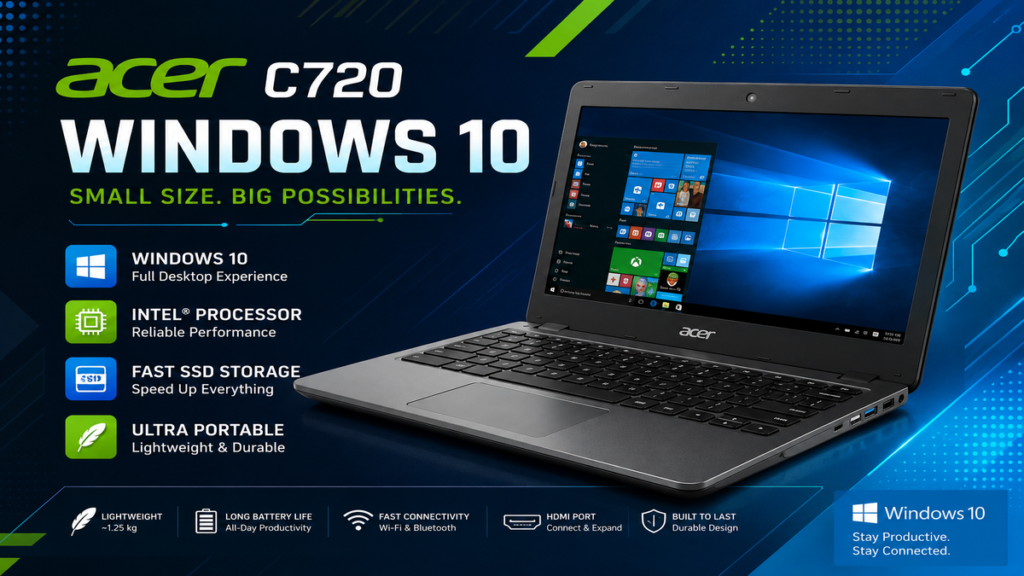
- Intel Celeron 2955U Processor
- 11.6-inch HD Display (1366 × 768 resolution)
- 2GB or 4GB RAM
- 16GB SSD storage
- Intel HD Graphics
- USB 3.0 and USB 2.0 ports
- HDMI output
- Wi-Fi and Bluetooth connectivity
- Lightweight design
Even though these specifications may appear modest by today’s standards, they remain adequate for basic computing tasks when properly optimized.
Can Acer C720 Run Windows ?
Yes, the Acer C720 can run Windows 10 successfully. In fact, it is considered one of the few Chromebooks that handles Windows 10 reasonably well.
However, installing Windows 10 requires several modifications because Chromebooks are not designed to support Windows operating systems natively.
The process usually involves:
- Enabling Developer Mode
- Replacing Chromebook firmware
- Creating a bootable Windows 10 USB drive
- Installing compatible drivers
- Configuring hardware settings
Once installed correctly, Windows 10 performs surprisingly well on the Acer C720.
Why Install Windows 10 on Acer ?
Many users prefer Windows over ChromeOS because of its broader software compatibility.
1. Access to Desktop Applications
Windows 10 allows users to install:
- Microsoft Office
- Adobe Reader
- Zoom
- Visual Studio Code
- VLC Media Player
- File compression tools
- Various productivity applications
2. Better Offline Functionality
ChromeOS relies heavily on internet connectivity. Windows 10 provides more robust offline capabilities and local software support.
3. Improved File Management
Windows offers advanced file management options that many users find easier and more familiar than ChromeOS.
4. Educational and Development Purposes
Students and programmers often install Windows 10 to run software unavailable on ChromeOS.
Minimum Requirements for Acer C720 Windows 10 Installation
Before installing Windows 10, your Acer C720 should ideally meet the following recommendations:
Processor
Intel Celeron 2955U
RAM
4GB recommended
Storage
At least 16GB SSD
USB Drive
8GB or larger
Internet Connection
Required for downloading drivers and updates
The 4GB RAM model generally offers a smoother Windows experience compared to the 2GB version.
How to Install Windows 10 on Acer C720
Step 1: Backup Your Data
Installing Windows 10 will erase the existing operating system and files. Always create backups before beginning.
Step 2: Enable Developer Mode
Developer Mode allows firmware modifications and removes software restrictions imposed by ChromeOS.
Step 3: Install Custom Firmware
A custom BIOS firmware is usually necessary to make the Chromebook compatible with Windows booting procedures.
Step 4: Create Windows 10 Installation Media
Use another computer to create a bootable Windows 10 USB drive using Microsoft’s Media Creation Tool.
Step 5: Boot from USB
Insert the USB drive and configure the Chromebook to boot from external media.
Step 6: Install Windows 10
Proceed through the installation process:
- Select language preferences
- Choose storage partitions
- Complete installation steps
- Configure user settings
Step 7: Install Drivers
Some hardware components may require additional drivers for:
- Audio
- Touchpad
- Wireless networking
- Keyboard functionality
Once the drivers are installed, the Acer C720 becomes fully operational under Windows 10.
Acer C720 Windows Performance
Many users are surprised by how capable the Acer C720 becomes after installing Windows 10.
Everyday Tasks
The laptop handles:
- Web browsing
- Microsoft Office applications
- PDF editing
- Video playback
- Email management
- Online meetings
- Coding environments
Performance Expectations
You should maintain realistic expectations. The Acer C720 is not a gaming machine or professional video editing workstation.
However, for lightweight computing tasks, it remains highly usable.
Advantages of Running Windows 10 on Acer
Affordable Computing Solution
Rather than purchasing a new laptop, installing Windows 10 extends the life of existing hardware.
Longer Device Lifespan
Repurposing older devices reduces electronic waste and maximizes hardware investment.
Software Flexibility
Windows offers access to thousands of applications unavailable on ChromeOS.
Familiar User Experience
Many users already know the Windows environment, making the transition straightforward.
Potential Drawbacks
Although installing Windows 10 on Acer C720 has many benefits, there are also some limitations.
Reduced Battery Life
Windows generally consumes more resources than ChromeOS.
Limited Storage
Most Acer C720 models include only 16GB SSD storage, which can become restrictive after Windows updates.
Driver Compatibility
Some hardware components may require community-developed drivers.
Performance Constraints
Heavy multitasking and demanding applications may cause slowdowns.
Best Windows 10 Settings for Acer
Optimizing Windows 10 can significantly improve performance.
Disable Startup Programs
Prevent unnecessary applications from launching automatically.
Turn Off Visual Effects
Reducing animations and transparency can free valuable system resources.
Use Lightweight Applications
Choose software designed for low-end hardware whenever possible.
Keep Storage Clean
Delete temporary files regularly to maintain system responsiveness.
Update Drivers
Installing updated drivers can improve stability and hardware performance.
Best Software for Acer C720 Windows
Several lightweight applications work particularly well on the Acer C720.
Productivity
- Microsoft Office
- LibreOffice
- Notepad++
Browsers
- Microsoft Edge
- Firefox
Multimedia
- VLC Media Player
- Spotify
Development
- Visual Studio Code
- Git
These applications allow the Acer C720 to remain productive despite its age.
Is Acer C720 Windows Worth It in 2026?
For many users, the answer is yes.
The Acer C720 still offers:
- Excellent portability
- Good keyboard quality
- Decent battery performance
- SSD-based responsiveness
- Low operating costs
If your computing needs involve web browsing, office work, studying, or programming, Windows 10 can breathe new life into this aging Chromebook.
While it cannot compete with modern premium laptops, it remains a surprisingly capable budget machine.
Final Thoughts
The Acer C720 Windows 10 conversion project demonstrates how older hardware can remain useful for years beyond its intended lifespan. With the proper installation process and performance optimizations, this Chromebook becomes a functional Windows laptop suitable for everyday productivity tasks.
Its affordability, portability, and upgrade potential make it a favorite among technology enthusiasts, students, and users seeking a lightweight secondary computer. Although storage limitations and modest hardware specifications require realistic expectations, the Acer C720 continues to prove that older devices can still deliver meaningful value when paired with Windows 10.
Frequently Asked Questions (FAQs)
Can Acer C720 run Windows 10?
Yes. The Acer C720 can successfully run Windows 10 after firmware modifications and proper driver installation.
Is Windows 10 faster than ChromeOS on Acer C720?
No. ChromeOS generally performs faster, but Windows 10 provides greater software compatibility.
How much RAM is recommended for Acer C720 Windows 10?
The 4GB RAM version is highly recommended for smoother multitasking and better overall performance.
Can I install Microsoft Office on Acer Windows 10?
Yes. Once Windows 10 is installed, Microsoft Office applications can be installed normally.
Does Windows 10 affect battery life?
Battery life may decrease slightly because Windows consumes more system resources than ChromeOS.
Is Acer C720 suitable for gaming?
The Acer C720 is not designed for modern gaming. It can only handle lightweight and older games.
Can beginners install Windows 10 on Acer C720?
Yes, but the installation process involves firmware changes and technical steps. Beginners should carefully follow reliable installation guides.
Is the Acer C720 still worth buying?
For basic productivity tasks and educational use, the Acer C720 remains a practical and affordable option.