Advanced Settings Utility (ASU): The Complete Guide for Enterprise Server Management
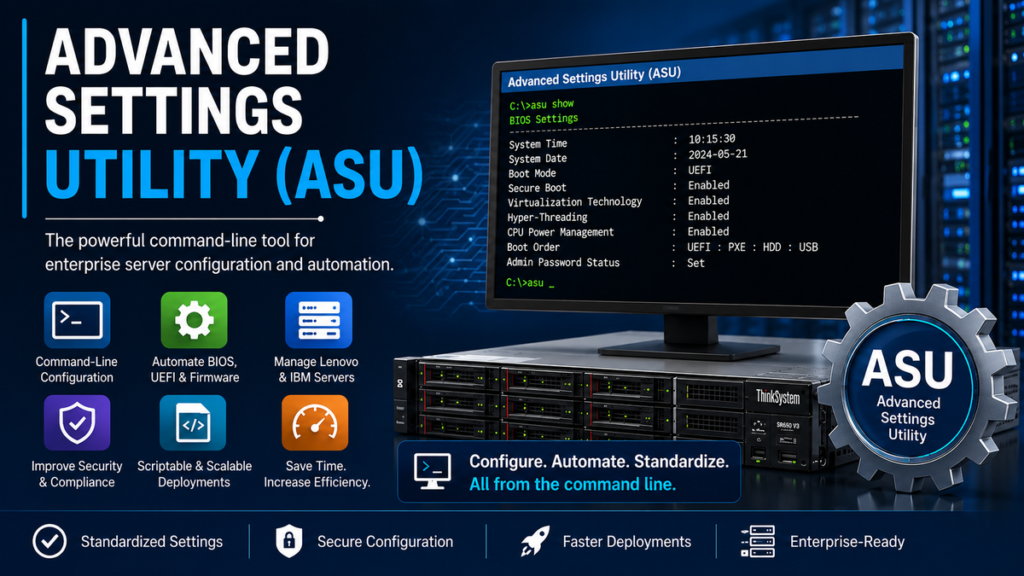
Modern enterprise servers are expected to operate continuously while supporting virtualization, cloud workloads, databases, and mission-critical applications. Managing hundreds or even thousands of servers manually through BIOS or UEFI menus quickly becomes impractical, especially in large data centers where consistency, automation, and speed are essential. This is where the Advanced Settings Utility (ASU) becomes invaluable. Designed for Lenovo ThinkSystem and legacy IBM System x servers, ASU allows administrators to configure firmware, BIOS, UEFI, management controllers, and selected hardware settings directly from the command line, eliminating the need to access the firmware setup interface during every configuration change.
For system administrators, ASU is far more than a configuration tool. It supports scripting, remote management, and standardized deployments across Windows, Linux, VMware ESXi, and other enterprise operating systems. Whether the goal is enabling Secure Boot, adjusting processor settings, modifying boot priorities, configuring management controllers, or preparing servers for production, ASU provides a repeatable and efficient workflow. Organizations managing large infrastructures benefit from reduced downtime, fewer manual errors, and greater operational consistency. Understanding how Advanced Settings Utility works has therefore become an essential skill for infrastructure engineers, DevOps professionals, and enterprise IT teams responsible for modern server environments.
What Is the Advanced Settings Utility?
The Advanced Settings Utility (ASU) is a command-line management tool developed originally for IBM System x servers and later maintained for Lenovo ThinkSystem platforms. Its primary purpose is to allow administrators to modify selected firmware and UEFI settings without navigating through the traditional BIOS setup interface during boot. ASU supports both local and remote configuration and integrates well into automated deployment workflows. In many environments, it is used alongside Lenovo XClarity Controller (XCC), Integrated Management Module (IMM), and scripting frameworks to simplify server administration. Rather than relying on manual configuration for each machine, administrators can standardize firmware settings across entire server fleets using repeatable commands and batch files. This capability significantly reduces deployment time while improving configuration consistency throughout enterprise environments.
Why ASU Matters in Enterprise Infrastructure
Enterprise IT teams often deploy dozens or hundreds of identical servers. Configuring BIOS settings individually can consume hours and increase the likelihood of inconsistent firmware configurations. ASU solves this challenge by enabling scripted configuration management that can be repeated across systems.
Its advantages include:
- Automated BIOS and UEFI configuration
- Remote firmware management
- Standardized server deployments
- Faster provisioning
- Reduced configuration errors
- Integration with deployment scripts
- Support for Windows, Linux, VMware ESXi, and WinPE
- Simplified disaster recovery and hardware replacement
Because configuration changes can be executed remotely and consistently, ASU has become a valuable tool for organizations operating large data centers, virtualization clusters, and private cloud environments.
Key Features of Advanced Settings Utility
ASU provides a wide range of administrative capabilities that extend beyond simple BIOS configuration. Administrators can view current settings, modify firmware parameters, manage boot options, configure management controllers, and automate repetitive tasks through scripts. Newer versions also support secure boot configuration, Feature on Demand key management, selected chassis management functions, and remote media capabilities through related utilities included in the software suite. Because ASU operates from the command line, it integrates naturally into enterprise automation tools, allowing organizations to build repeatable deployment processes that minimize human intervention. These capabilities make it especially valuable for infrastructure teams responsible for maintaining high availability and standardized server configurations across geographically distributed environments.
| Capability | Description | Enterprise Benefit |
|---|---|---|
| BIOS/UEFI Configuration | Modify firmware settings from the command line | Faster deployment |
| Batch Processing | Execute multiple settings automatically | Consistency across servers |
| Remote Configuration | Configure supported servers remotely | Reduced travel and downtime |
| Secure Boot Management | Configure firmware security settings | Improved security posture |
| Script Integration | Works with automation scripts | Scalable infrastructure management |
Supported Platforms and Operating Systems
One reason ASU remains widely used is its broad platform support. Lenovo and IBM have provided versions for Windows, various Linux distributions, VMware ESXi, and Windows Preinstallation Environment (WinPE). This flexibility enables administrators to configure firmware regardless of the operating system installed on the server. ASU has historically supported System x servers, BladeCenter platforms, and modern Lenovo ThinkSystem hardware, although supported models vary by software version. Administrators should always verify compatibility before deployment by consulting the official Lenovo support documentation. Using supported versions ensures access to the latest firmware options, security updates, and hardware compatibility improvements released by Lenovo.
“Automation reduces operational complexity while improving configuration consistency across enterprise systems.” — Lenovo enterprise management guidance.
How ASU Works
Unlike graphical BIOS utilities that require administrators to interrupt the boot process, ASU communicates with server firmware through supported management interfaces. Administrators can display existing settings using the show command, modify parameters with set, inspect available values through showvalues, and organize settings using showgroups. Once configuration changes are applied, many UEFI-related modifications become active after the next server reboot. This workflow enables administrators to prepare multiple changes in advance and schedule reboots during maintenance windows rather than interrupting production workloads immediately. The command-driven approach also makes ASU suitable for inclusion in automated provisioning scripts and infrastructure-as-code workflows.
Installing and Preparing Advanced Settings Utility
Before administrators begin using Advanced Settings Utility, they should verify that the correct version matches the server generation and operating system. Lenovo periodically updates ASU to support new ThinkSystem platforms, firmware revisions, and management controller features. Installing the wrong version may prevent access to certain firmware parameters or generate compatibility errors.
The installation process is straightforward. After downloading the package from Lenovo’s official support portal, administrators extract the utility and launch it from a command prompt or terminal with administrative privileges. Because ASU is a portable command-line application, it generally requires minimal installation and can be included in deployment toolkits or executed from removable media during server provisioning.
Many organizations maintain a central repository of approved ASU versions to ensure every administrator uses identical management tools across production, staging, and disaster recovery environments.
Common ASU Commands
One of ASU’s greatest strengths is its simple command syntax. Administrators can retrieve firmware settings, modify configuration values, or export settings for documentation and automation.
Some commonly used commands include:
| Command | Purpose | Typical Use |
|---|---|---|
asu show | Display current settings | Review server configuration |
asu set | Modify a firmware value | Change BIOS or UEFI settings |
asu showvalues | Display available values | Validate supported options |
asu showgroups | List configuration groups | Explore configurable settings |
asu comparedefault | Compare with defaults | Compliance auditing |
Because commands are scriptable, administrators can configure dozens or hundreds of identical servers with minimal manual effort.
“Automation is one of the most effective ways to reduce operational risk in enterprise IT.” Microsoft emphasizes automation as a core principle of modern infrastructure management.
Automating Large-Scale Server Deployments
Modern enterprise infrastructure rarely consists of a single physical server. Virtualization clusters, hyper-converged environments, private clouds, and high-performance computing installations often contain hundreds or thousands of systems that must remain consistently configured.
ASU simplifies these deployments by allowing configuration scripts to execute automatically during provisioning.
Typical automation workflows include:
- Deploy operating system
- Update firmware
- Configure BIOS settings
- Enable virtualization
- Configure boot order
- Enable Secure Boot
- Configure management controller
- Reboot and validate settings
When integrated with deployment platforms and orchestration tools, ASU reduces deployment time dramatically while ensuring every server follows the organization’s approved configuration standards.
Security Benefits of Advanced Settings Utility
Firmware security has become increasingly important as cyberattacks target hardware below the operating system layer.
ASU helps administrators configure important security settings such as:
- Secure Boot
- Trusted Platform Module (TPM)
- Virtualization security
- Boot sequence protection
- Administrator passwords
- UEFI configuration policies
Although ASU itself is not a security product, it enables organizations to consistently apply security policies across every supported server.
“Security should be designed into infrastructure rather than added afterward.” This principle is widely reflected in enterprise infrastructure guidance from Lenovo and Microsoft.
Integration with Lenovo XClarity
Many organizations use Advanced Settings Utility alongside Lenovo XClarity Administrator.
While XClarity provides centralized lifecycle management, monitoring, inventory, firmware updates, and hardware alerts, ASU focuses specifically on firmware configuration through command-line automation.
Together they create a comprehensive management ecosystem.
Typical workflow:
- Discover hardware using XClarity.
- Deploy firmware updates.
- Configure BIOS using ASU.
- Validate configuration.
- Monitor hardware health continuously.
This layered approach simplifies enterprise management while reducing manual intervention.
Common Troubleshooting Scenarios
Even experienced administrators occasionally encounter configuration issues.
Common problems include:
Unsupported server model
Older versions of ASU may not recognize recently released hardware.
Insufficient privileges
Administrative permissions are typically required before firmware changes can be applied.
Firmware incompatibility
Some settings become available only after updating server firmware.
Invalid parameter names
Firmware revisions occasionally rename or reorganize settings.
Restart required
Many BIOS changes do not become active until the server reboots.
Systematically reviewing compatibility documentation and firmware release notes usually resolves these issues quickly.
Best Practices for Using ASU
Experienced infrastructure teams generally follow several best practices when deploying Advanced Settings Utility:
- Keep ASU updated.
- Document every firmware change.
- Test scripts in non-production environments.
- Maintain standardized configuration templates.
- Schedule firmware modifications during maintenance windows.
- Verify settings after every deployment.
- Store configuration backups securely.
- Review Lenovo release notes before upgrades.
Following these recommendations minimizes operational risk while improving deployment consistency.
Real-World Enterprise Use Cases
Organizations across multiple industries rely on command-line firmware management.
Healthcare providers standardize security settings across hospital infrastructure.
Financial institutions automate BIOS configuration before deploying new database servers.
Universities prepare research clusters with identical processor and memory settings.
Cloud providers provision thousands of servers using repeatable automation scripts.
Manufacturing companies configure edge computing systems before deployment to production facilities.
In every case, ASU reduces manual effort while improving consistency and compliance.
“Consistency is one of the most important characteristics of reliable enterprise infrastructure.” This philosophy is reflected throughout modern infrastructure management practices.
Future of Firmware Management
Server administration continues moving toward automation, infrastructure as code, and policy-driven configuration.
Future firmware management will increasingly integrate with:
- Infrastructure as Code
- Artificial Intelligence operations (AIOps)
- Predictive maintenance
- Zero-touch provisioning
- Remote lifecycle management
- Cloud-native infrastructure
Although graphical management tools continue improving, command-line automation remains essential for organizations managing large-scale infrastructure.
The Advanced Settings Utility continues to serve as an important bridge between firmware management and enterprise automation, allowing administrators to deploy secure, standardized configurations efficiently across modern data centers.
Key Takeaways
- Advanced Settings Utility (ASU) is a command-line tool that enables administrators to configure BIOS, UEFI, and management controller settings without manually entering firmware setup.
- ASU supports automation, scripting, and batch processing, making it ideal for enterprise-scale server deployments and standardized infrastructure.
- The utility is compatible with many Lenovo ThinkSystem and legacy IBM System x servers and supports multiple operating systems, including Windows, Linux, VMware ESXi, and WinPE.
- Integrating ASU with Lenovo XClarity and other deployment tools reduces configuration errors, shortens provisioning time, and improves operational consistency.
- Following best practices such as firmware validation, configuration backups, staged testing, and documentation helps minimize deployment risks.
- As infrastructure automation continues to evolve, ASU remains an important component of enterprise firmware and lifecycle management strategies.
Conclusion
The Advanced Settings Utility has earned its place as one of the most practical firmware management tools for enterprise server administrators. While graphical management consoles simplify many day-to-day tasks, command-line automation continues to be indispensable for organizations managing large numbers of physical servers. ASU bridges the gap between firmware configuration and infrastructure automation by allowing administrators to standardize BIOS, UEFI, and hardware settings across multiple systems with speed and accuracy.
As data centers continue adopting automation, virtualization, hybrid cloud platforms, and Infrastructure as Code (IaC), consistent firmware management becomes increasingly important. By integrating ASU into deployment workflows, organizations can reduce manual intervention, improve security compliance, accelerate provisioning, and maintain configuration consistency throughout the server lifecycle.
Frequently Asked Questions
What is the Advanced Settings Utility (ASU)?
Advanced Settings Utility (ASU) is a command-line management tool for supported Lenovo ThinkSystem and legacy IBM System x servers. It enables administrators to configure BIOS, UEFI, firmware, and selected management controller settings without entering the firmware setup interface.
Which operating systems support ASU?
Depending on the release, ASU supports Windows, Linux, VMware ESXi, and Windows Preinstallation Environment (WinPE). Administrators should always verify compatibility with their server model and software version before deployment.
Can ASU configure servers remotely?
Yes. ASU supports remote configuration on compatible Lenovo and IBM servers through supported management interfaces, making it suitable for enterprise environments where administrators manage servers across multiple locations.
Is ASU still supported by Lenovo?
Yes. Lenovo continues to provide ASU downloads and documentation for supported server platforms, although compatibility depends on the specific hardware generation and firmware version. Always download the latest version from Lenovo Support.
What are the biggest advantages of using ASU?
The primary benefits include automated firmware configuration, reduced deployment time, standardized BIOS settings, script integration, improved operational consistency, simplified disaster recovery, and easier management of large enterprise server environments.